A coding agent that runs on the GPU you already own.
Hubbleflow reads and edits files, runs commands, searches the web and keeps a todo list, in your terminal, against whichever model you point it at. No API key and no account to start.
Install it
macOS and Linux:
./install.shWindows, in PowerShell:
.\install.ps1The script installs uv if you don’t have it, puts hubbleflow on your PATH, and creates ~/.hubbleflow/.env for your keys. uv fetches its own Python, so you don’t need 3.13 installed first. Add --dev to install editable if you plan to work on the harness itself.
Run it
cd your-project
hubbleflow
No key is required to start. A local Ollama model or a mesh node runs without one. For Gemini put GOOGLE_API_KEY in ~/.hubbleflow/.env; for NVIDIA, NVIDIA_API_KEY.
Point it at a model
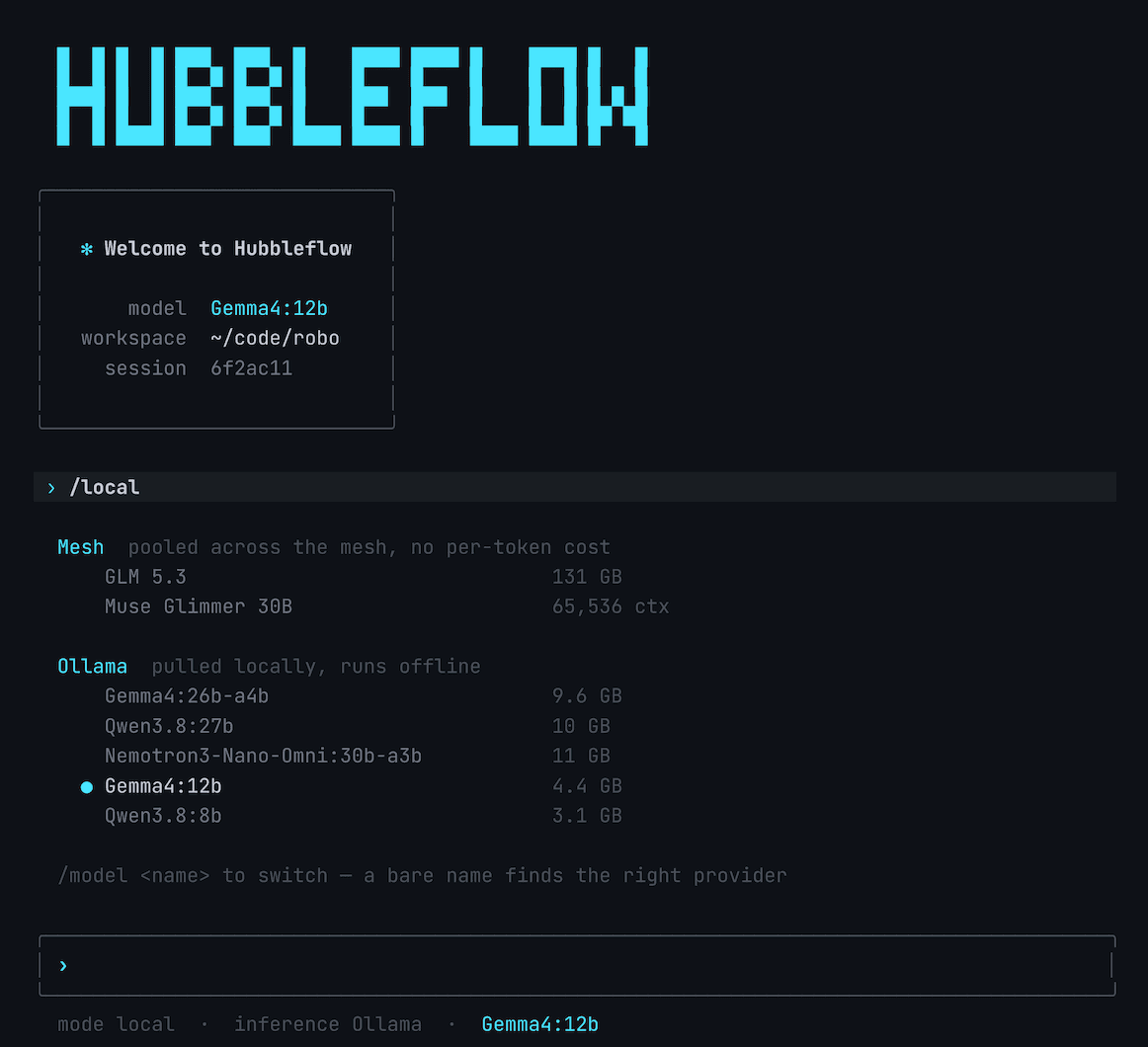
Seven providers, discovered live rather than from a hardcoded list. Type a bare model name and the harness works out where it lives.
/models          everything reachable right now
/local           Ollama, vLLM, llama.cpp, FreeToken, Mesh
/model gemma4:12b
Local servers need nothing but a running process. Start ollama serve, vllm serve or llama-server, and it appears on the next listing.
What it does
- Reads and edits files inside your workspace, and runs commands - reads are free, writes and commands pause and ask.
- Picks up
AGENTS.mdorCLAUDE.mdfrom the project root, so its conventions don’t need re-explaining each session. - Connects to MCP servers declared in
.mcp.json, in the same shape that Claude Code uses. - Researches a question over several rounds and files what it finds into a knowledge bundle, so the next session already knows it.
Remove it
./uninstall.sh            # removes the command, keeps your config
./uninstall.sh --purge    # also deletes ~/.hubbleflow
Apache 2.0, and the source is on GitHub.